How I bypassed Razorpay to build a 0-fee UPI system using an old phone & a Decimal Pool


If you are a bootstrapped founder in India, you already know the pain of payment gateways. When I was building my tuition consultancy platform, OMD Leads, I hit a wall. Traditional gateways like Razorpay, Stripe, and Cashfree are incredible products, but they come with heavy baggage for early-stage startups: endless KYC documents, business registration requirements, delayed settlements, and a 2% to 3% tax on every single transaction.

When you are bootstrapping, that 2% comes directly out of your net profit.
I refused to give up that margin. I knew that UPI (Unified Payments Interface) allows direct peer-to-peer (P2P) and peer-to-merchant (P2M) transfers with zero fees. The problem wasn't receiving the money; the problem was identifying who sent it.
If 50 users scan your generic UPI QR code and pay ₹500 at the exact same time, your bank sends you 50 identical SMS alerts saying "₹500 credited". How do you programmatically figure out which payment belongs to which user?
Gateways solve this with callback URLs and unique session IDs. I solved it with an old Android phone, Node.js, and a concept I call the Decimal Pool.
Here is the exact, production-tested blueprint of how I built a 0-fee, automated, gatewayless UPI settlement engine.
The Core Concept: The Decimal Pool
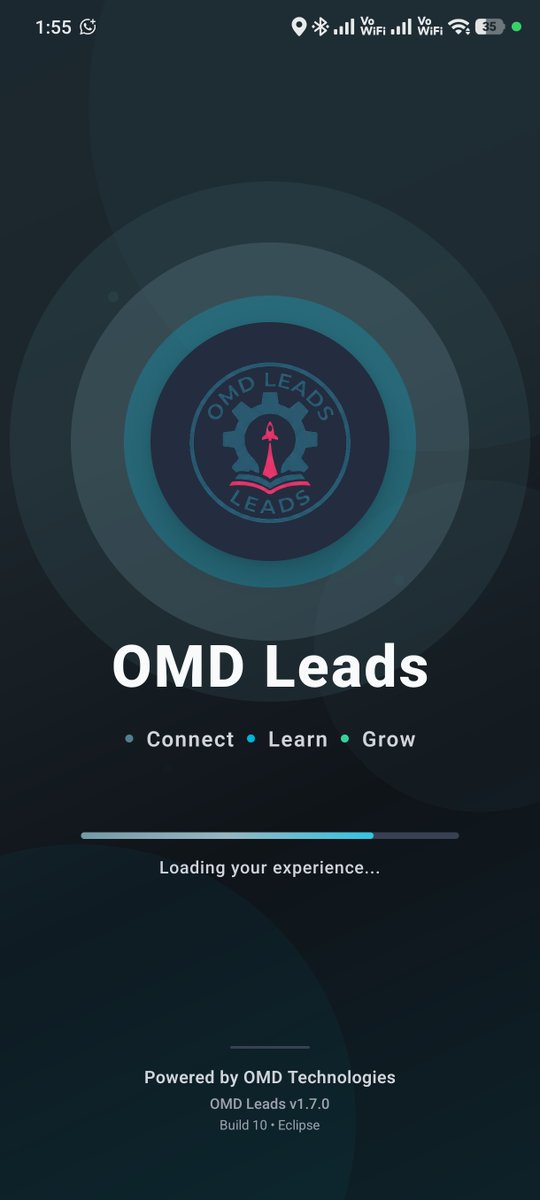
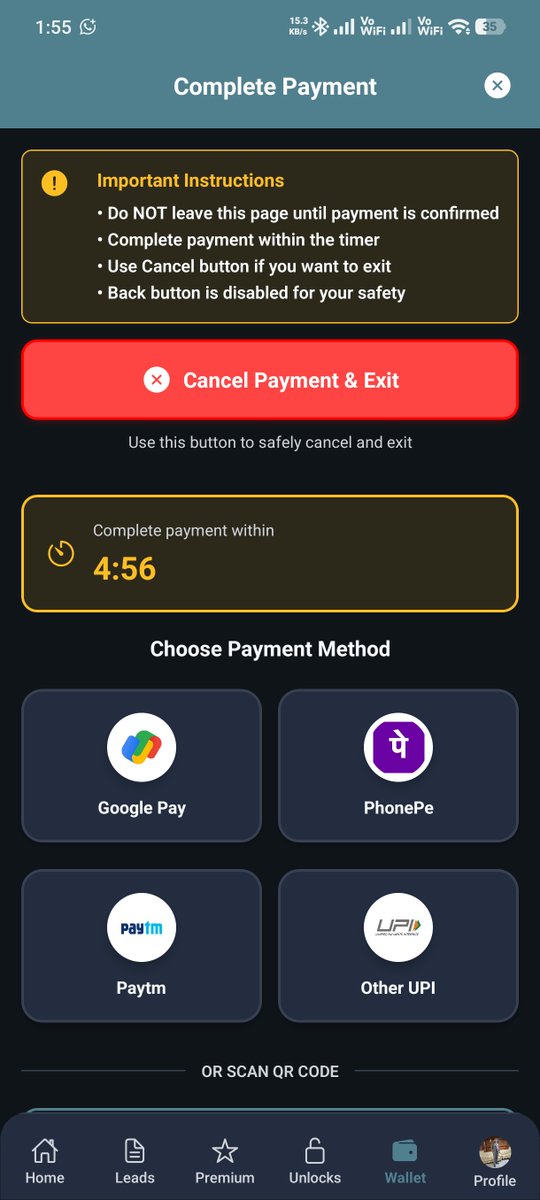


To match a payment to a specific user without a gateway, you need to manipulate the one piece of data that the bank always passes through accurately: the transaction amount.

Instead of charging a flat amount, the system assigns a mathematically unique decimal to every active payment session.
- User A clicks buy. The server assigns them 0.12. Their exact payable amount becomes ₹500.12.
- User B clicks buy a second later. The server assigns them 0.47. Their exact amount is ₹500.47.
- User C clicks buy. They get assigned 0.81. Amount: ₹500.81.
When the bank SMS arrives saying "₹500.47 credited", the system instantly knows this is User B. The random decimal becomes an un-fakeable, globally unique fingerprint for that specific moment in time.
The System Architecture
To make this work, we need three pieces of infrastructure:
- The Backend (Node.js + MongoDB): Manages the decimals, generates the QR codes, and processes the final settlement.
- The Bridge (MacroDroid): An old Android phone that reads incoming bank SMS alerts and forwards them to our server.
- The Bank: A standard business or personal bank account linked to a UPI ID that sends SMS alerts for incoming credits.
Step 1: Building the Decimal Pool (Database Setup)
We need a pool of 99 decimals (from 0.01 to 0.99). I created a MongoDB collection specifically to track which decimals are currently in use and which are free.
Here is the Mongoose schema:
The Initialization Script (Run Once)
Before your system can work, you need to populate the database with the 99 decimals. You only run this script once on server startup:
When a user initiates a payment, the server must grab an available decimal. This step must be atomic. If two users click "Pay" at the exact same millisecond, MongoDB must ensure they don't get the same decimal. We use $findOneAndUpdate for this.
What happens if all 99 decimals are currently locked? The system simply throws an error telling the 100th user: "Server busy, please try again in 2 minutes." Since orders expire in 5 minutes, slots free up rapidly.
Step 2: Creating the Order (The "Paise" Rule)
Here is a golden rule of FinTech: Never store money as floating-point decimals in JavaScript. If you do 500 + 0.07, JS calculates 500.07000000000005. If you search your database for exactly 500.07, it will fail, and your user won't get credited.
Instead, we convert everything to Paise (Integers) before saving it to MongoDB, and only format it as a decimal string for the UPI QR link.
Step 3: The Hardware Bridge (MacroDroid Setup)

This is where the magic happens. You need an old Android phone. It doesn't need to be powerful; it just needs a SIM card linked to your business bank account so it receives SMS alerts.
- Install MacroDroid from the Google Play Store (it's free).
- Plug the phone into a charger, connect it to WiFi, and leave it on your desk.
- Exclude MacroDroid from Android's Battery Optimization (crucial, otherwise Android puts the app to sleep).
- Grant MacroDroid permission to "Read SMS" in your Android settings.
Creating the Macro

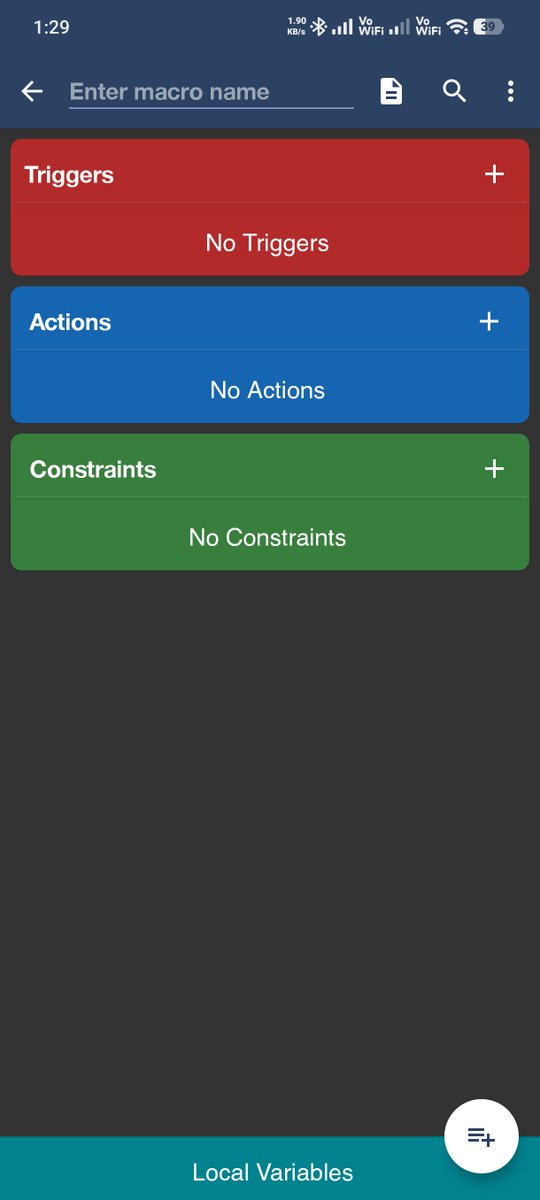

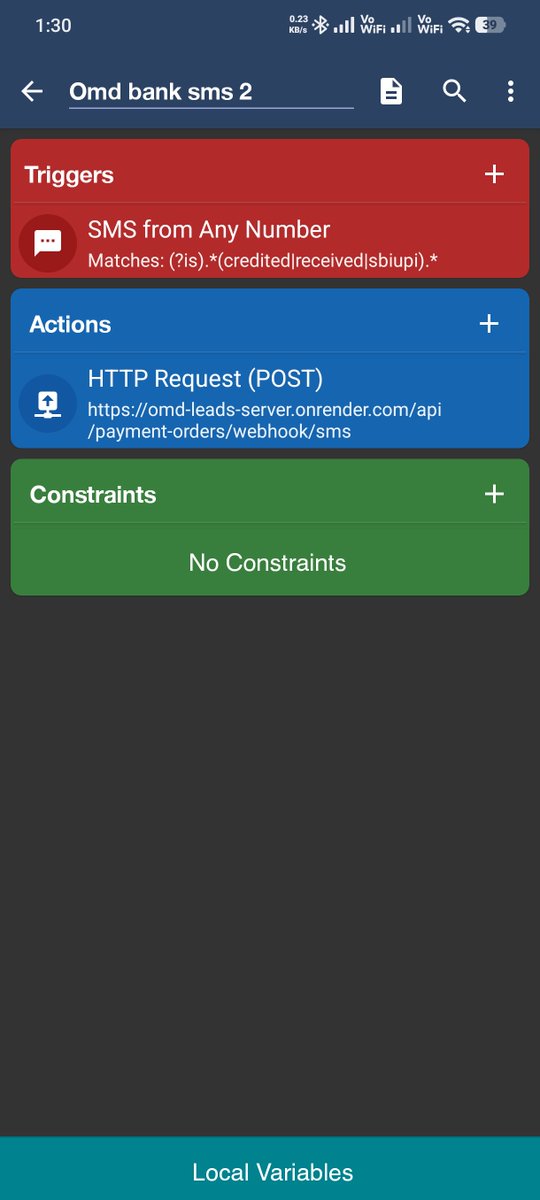
1. The Trigger:
- Type: SMS Received
- Content Match: credited OR received OR debited
- ⚠️ CRITICAL SECURITY STEP (Sender ID): Do not let any phone number trigger this macro! Restrict the SMS trigger to only accept messages from your specific bank’s verified Sender IDs (e.g., VM-HDFCBK, AD-ICICIB, VK-SBIIN). If you skip this, anyone could text your phone a fake "credited" message and trick your system into verifying a payment.
2. The Action:
- Type: HTTP Request (POST)
- URL: https://api.omdleads.com/webhook/upi-sms
- Content-Type: application/json
- Header: X-Webhook-Secret: your_secure_random_string
(⚠️ CRITICAL SECURITY STEP (Header): Add a custom header named X-Webhook-Secret and set the value to a strong, random password (e.g., super_secure_random_string_123). This acts as an API password so hackers cannot trigger your server externally.)
Note: [sms_message] and [sms_number] are MacroDroid variables that dynamically inject the text of the incoming SMS.
Step 4: The Webhook and SMS Regex Parsing
When the phone receives a bank SMS, it instantly fires a POST request to your backend. Because this is a public endpoint, security is paramount. We use a static secret header (since MacroDroid can't dynamically generate JWTs).
The Regex Engine (Handling Indian Banks)
Indian banks format their SMS alerts differently. HDFC looks different from SBI, which looks different from ICICI. Your parser needs to be robust enough to extract the Amount and the 12-digit UPI Reference Number (UTR) regardless of the bank.
Developer Tip: How to test this locally?
When you write this code on your laptop, your server runs on localhost:3000. Your Android phone cannot send a webhook to your laptop's localhost over mobile data. Use a free tool like ngrok to expose your local Node server to the internet. Paste the ngrok URL into your MacroDroid HTTP action, and you can test live SMS parsing right in your code editor!
Step 5: The Atomic Settlement Engine
This is the most critical code in the entire system. When the parsed amount (e.g., 500.47) hits the settlement function, we must safely credit the user while absolutely guaranteeing no double-spending occurs.
Why the MongoDB Unique Index is Mandatory
Even with atomic updates, always add a unique index to your schema: paymentOrderSchema.index({ transactionId: 1 }, { unique: true, sparse: true });If MacroDroid glitches and fires the webhook twice for the same SMS, the database layer will violently reject the second attempt. Your system remains bulletproof.
Step 6: Background Cleanup (The Orphan Sweeper)
What happens if User A reserves 0.47 but closes their browser and never pays? That decimal is locked. If this happens 99 times, your payment gateway breaks.
You need a Cron job (or a simple setInterval in Node) that runs every 60 seconds to "sweep" expired orders and release their decimals.
Limitations & Scaling the System
Is this a perfect system for a Fortune 500 company? No. Is it the ultimate hack for bootstrapped indie hackers and small agencies? Absolutely.
Here is what you need to keep in mind:
- The 99 Concurrent Limit: Because we use 0.01 to 0.99, you can only handle 99 simultaneous, active, pending checkouts within a 5-minute window. For 99% of early-stage SaaS and platforms like OMD Leads, this is more than enough. If you scale past this, simply add a second UPI ID (e.g., omdleads2@ybl) to double your pool to 198 slots.
- Phone Dependency: Your system is only as reliable as the Android phone on your desk. Keep it plugged in. Connect it to a stable WiFi network. If your phone loses internet, the SMS won't hit the webhook, and users won't get auto-credited (you'll have to manually reconcile them from your bank app later).
- UI Feedback: Since the webhook handles the processing in the background, your frontend needs to poll the server. Have your React/Next.js frontend run a setInterval every 3 seconds to hit a GET /order/:id/status endpoint. The moment that endpoint returns completed, show a massive green success checkmark to the user.
Important Compliance & Risk Warnings
This is a bootstrapped hack, not a regulated banking product. Before you push this to production, you must understand the risks:
- The Bank Freeze Risk: If you use a personal savings account and start receiving 50+ random P2P UPI payments a day, your bank's fraud algorithm will freeze your account. You should only run this on a proper Current/Business account.
- NPCI Limits: In 2026, standard UPI transactions are capped at ₹1,00,000 per day, and most banks limit you to 20 incoming P2P transactions per day. If you hit that volume, this system will fail to receive money.
- Reconciliation: Hardware fails. The Android phone might lose Wi-Fi or MacroDroid might get killed by battery optimization. You must build a simple Admin Dashboard where you can manually type in a UTR number to credit a user's wallet if the SMS webhook fails to fire. Zero gateway fees do not mean zero manual customer support.
Final Thoughts
We are conditioned to think we need permission to accept payments. We think we need merchant accounts, API keys, and compliance teams.
Building this custom decimal-pool architecture for OMD Leads took me a weekend. It costs exactly ₹0 to run, takes zero percentage cuts from my revenue, and bypasses the gatekeepers entirely.
If you are a developer, stop treating payments as a black box. You have the tools. You have the logic. Go build your own engine.

**Want to build a custom system like this, or need a complex product engineered from scratch?**I run Launch Your Concept, a full-stack product development agency. We have a dedicated, highly experienced team of engineers specializing across multiple domains (FinTech, EdTech, SaaS, and E-commerce) to build scalable, high-performance platforms.
We don't just write code; we architect solutions.
Drop a comment below if you have questions about this architecture, or visit Launch your concept to let us build your next big idea!
Have thoughts or questions on this topic?
Follow and discuss with our engineering team on X / Twitter for daily tech breakdowns, system design notes, and software engineering debates.
Related Articles

Your Phone Was Always a Better Remote Control . NEXORA Just Made It Feel Like One
I never noticed how frequently I reached for the mouse until I began keeping count. Lean in, click, lean back, open a tab, skip a track, type six words—and repeat the loop dozens of times an hour. The

Beyond the Hype: Building AI Agents That Actually Work in Production
We’ve all seen the magical AI demos. You type a vague prompt into a chat box, and a few seconds later, an "autonomous agent" writes a marketing plan, codes a website, and emails a client. It looks
Out of a quiet obsession, we built a beast. 60+ heavy utilities, handed freely to the web.
A few months ago, Launch Your Concept released a beast. 60+ massive utilities operating entirely off the grid.. Inside the engineering madness that built FlashTools. We were tired of the web feeling